← WordNext apps A WordNext app
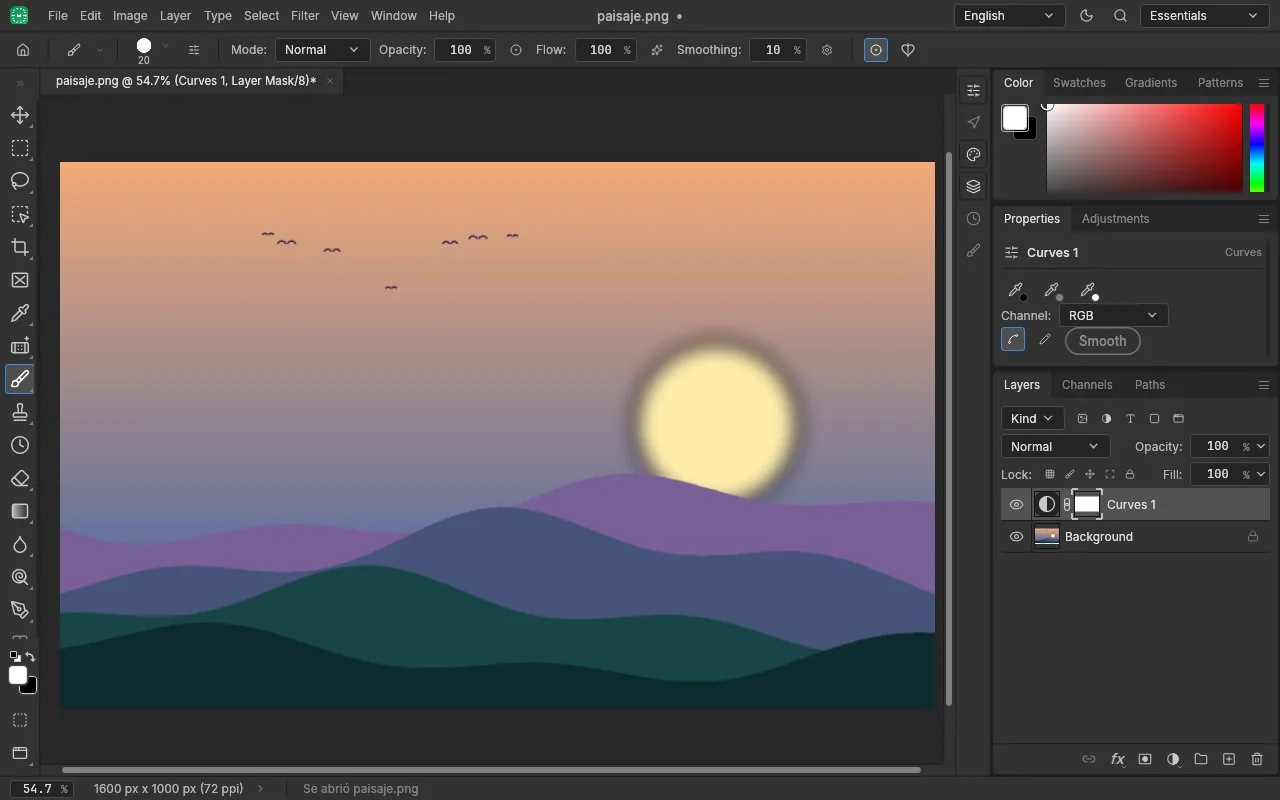
A WordNext appEdit your images in the browser, nothing to install
WordNext Photo is an open-source image editor with layers, masks, adjustments and filters. It needs no account and uploads your files nowhere: everything runs on your computer.
Free · open source · your images never leave your computer
What you can do
Layers and masks
Work in layers, with masks and blend modes, and undo whatever you need.
Adjustments and filters
Curves, vibrance and other adjustments and filters, as adjustment layers you can change later.
Text, vectors and brushes
Add text and shapes, and paint with brushes to retouch or compose.
PSD files
Open and save PSD files, as well as the usual image formats.
Private
Your images are processed in your browser. No account, no file uploads.
In your language
Spanish (Spain) by default, with a selector to change language.
Your images are yours
There is no server processing your files: the editor runs in your browser.
- No account, no file uploads
- Open source (MIT or Apache-2.0): you can check what it does
- Can be installed as an app from your browser
- Can be shown inside a website built with WordNext, with the “WordNext app” block
The first visit downloads about 11 MB; after that your browser keeps it and it opens faster. Early version: the program it is based on is in alpha, so save your work often. It is designed for use with a mouse and keyboard.
Where it comes from
WordNext Photo is based on PhotoCraft, free software under the MIT or Apache-2.0 licence, copyright its original authors, and is WordNext's image editor in the browser. It keeps the licences and credits of the original project.
Try it now
Open it in your browser, pick your image and start. Free, no account, nothing to install.